DSS OnePass
Publisher Description


Professional video intercom, access control & attendance app for DSS systems.
DSS OnePass is the official mobile app for DSS system's video surveillance, access control, and attendance platform, designed for property owners and employees.
Key Features:
Video Intercom: Initiate two-way audio/video calls with visitors or intercom terminals connected to the DSS system.
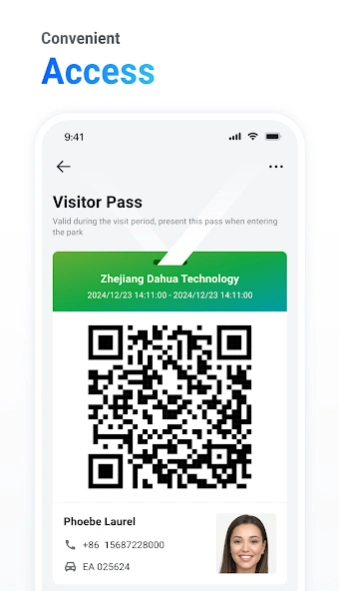
Flexible Access Control: Unlock doors via multiple methods including Bluetooth, QR Code, or remote authorization.
Attendance Management: Clock in/out anytime, anywhere, and check attendance records to track daily presence effortlessly.
Message Center: Centralized hub for property notices, visitor messages, door status updates, intercom logs, and alarm alerts—all in one place.
Multi-Device Support: Manage multiple sites/devices under a single account, ideal for residential compounds and multi-location campuses.
Secure & Reliable: Built on enterprise-grade DSS infrastructure with encrypted, stable communication.
Whether for residential communities, office buildings, or industrial parks, DSS OnePass puts video intercom, access control, and attendance management at your fingertips.
About DSS OnePass
The company that develops DSS OnePass is Hangzhou CE-soft Technology Co., Ltd.. The latest version released by its developer is 1.0 .
To install DSS OnePass on your Android device, just click the green Continue To App button above to start the installation process. The app is listed on our website since 2026-09-09 and was downloaded 1 times. We have already checked if the download link is safe, however for your own protection we recommend that you scan the downloaded app with your antivirus. Your antivirus may detect the DSS OnePass as malware as malware if the download link to com.mm.dss.agile.vdp.cn is broken.
How to install DSS OnePass on your Android device:
- Click on the Continue To App button on our website. This will redirect you to Google Play.
- Once the DSS OnePass is shown in the Google Play listing of your Android device, you can start its download and installation. Tap on the Install button located below the search bar and to the right of the app icon.
- A pop-up window with the permissions required by DSS OnePass will be shown. Click on Accept to continue the process.
- DSS OnePass will be downloaded onto your device, displaying a progress. Once the download completes, the installation will start and you'll get a notification after the installation is finished.
Program Details
System requirements
Download information
Pricing
Version History
version
posted on 2026-09-09
1. Added Indonesian, Romanian, and Malay languages.
2. Email registration.
3. Indoor device QR code registration.
4. Forgot password.
5. Password security rules upgraded.
6. QR code, Bluetooth, and remote door opening.
7. Homepage redesign.
8. Visitor module redesign.
9. Visitors added custom field mandatory attributes
10. Message center redesign.
11. Personal center redesign.
12. Attendance check-in and attendance records.
version
posted on 2026-02-04
1、Support visitor permission approval
2、Fix some bugs
version 3.003.0000000
posted on 2025-02-27
1.fix some bugs
version 3.000.0000002.2
posted on 2024-09-23
1.fix some bugs
2.Optimize visitor permissions
version 3.000.0000001.1
posted on 2024-01-14
support account deletion
